Guide

Survive Your Ideas Beginner Guide: First Matches and Core Systems

Last updated: · Part of the Survive Your Ideas guide

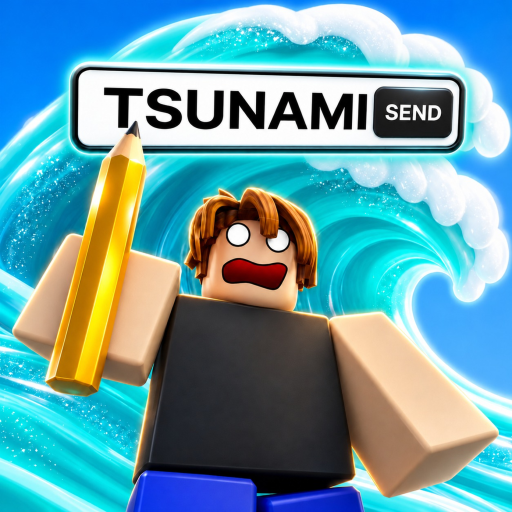
Survive Your Ideas is a Roblox party-survival game where each round one randomly selected player types any word, and that word comes to life on the map. Words stack as rounds progress, creating escalating chaos—tsunami, dinosaur, nuke, or tacos can all spawn as hazards. Your goal is to survive longer than other players by reading each word's effect, positioning yourself safely, and understanding the core loop of Writer selection, word entry, and elimination. This guide covers controls, the round structure, how words interact, and your first strategies to stay alive.

What Is Survive Your Ideas? Join the Correct Roblox Experience

Survive Your Ideas is a Roblox party-survival game published on the official Roblox platform. Before you dive into mechanics, confirm you are playing the correct experience: search for the exact title "Survive Your Ideas" in the Roblox discover page and check that the description mentions one random player typing a word each round, the word coming to life, and words stacking until the last player alive wins.

The game's premise is simple: every round the server picks one player at random to type any word they choose, and that word spawns on the map as a hazard or event. Examples from the official description include tsunami, dinosaur, nuke, and tacos. Because words persist and stack across rounds, the map grows more chaotic over time, and your survival depends on reading each new word's effect and repositioning before elimination.

Favoriting the game on Roblox is encouraged by the developer to receive new words first, suggesting the word list expands over updates. This guide uses facts from the official Roblox page and focuses on the core loop, controls, and beginner strategies to help you survive your first matches.

Survive Your Ideas beginner guide Quick Reference & Progression Overview
Progression StageCore ObjectiveKey MechanicPlayer Priority
Early Game SetupLearn Survive Your Ideas core loopInitial resource & starter unlockComplete tutorial loop before spending currency
Mid Game ScalingUnlock higher multiplier tiersLoadout / upgrade synergyFocus on repeatable milestones and efficiency
Endgame & UpdatesBosses, events, and new worldsHigh-tier drops & patch preparationTrack official update logs and optimize builds

How to Play: The Core Round Loop and Writer Role

Each match runs in rounds. At the start of every round, the game randomly selects one player to become the Writer. The Writer types any word into a text field, submits it, and that word immediately spawns on the map as a hazard, creature, object, or environmental effect. All other players must survive the resulting event. Once the word takes effect, the round ends, eliminated players spectate, and a new round begins with a fresh Writer selection among the remaining survivors.

Words stack as rounds progress. If the first Writer types tsunami and the second types dinosaur, both hazards remain active simultaneously. By round five or six, the map may hold multiple overlapping threats—tsunamis washing across terrain while dinosaurs chase players and nukes detonate. This escalating chaos is the core challenge: you must track every active hazard, predict safe zones, and adapt positioning each round. The last player standing wins the match.

The Writer role is assigned randomly each round, so every survivor has an equal chance to type the next word. You cannot volunteer or pass the role. When selected, a prompt appears on your screen with a text box. Type your word, press enter or click submit, and the effect spawns instantly. Choose words strategically or experimentally—tsunami, nuke, tacos, and dinosaur are confirmed examples, but the game accepts a wide vocabulary. Your word becomes part of the cumulative hazard pool for all remaining rounds in that match.

  1. 1

    Check Current Survive Your Ideas beginner guide Requirements

    Review the active mechanics and prerequisites inside Survive Your Ideas before committing resources.

  2. 2

    Complete the Core Progression Loop

    Follow the primary objective sequence to unlock the next multiplier, zone, or equipment slot.

  3. 3

    Verify Post-Update Changes

    Re-check the comparison table and official Survive Your Ideas patch notes whenever a new update drops.

Controls, Menus, and How to Type Your Word as Writer

When you join a match, the game handles most of the UI automatically. Each round the game randomly selects one player as the Writer, and a text prompt appears on their screen. If that prompt appears for you, type your chosen word and confirm it — the word then spawns as a live hazard on the map for everyone. If you are not the Writer that round, your only job is to watch for the incoming effect and move to safety.

Because the core loop is covered in the previous section, the key thing to understand here is the input moment itself. The text box appears briefly, so having a word in mind before you are selected saves time. Players who hesitate or close the prompt without submitting may waste the round's Writer turn. Exactly how long the input window stays open has not been officially confirmed, so treat it as short and act quickly.

Outside of the Writer prompt, standard Roblox controls apply for movement and camera. No special keybinds unique to Survive Your Ideas have been confirmed in available sources. If you want to revisit which words produce the strongest effects, the best words guide covers tested options in detail.

  • Watch for the Writer text prompt — it appears only for the selected player that round.
  • Type your word and confirm before the input window closes.
  • All other players use standard Roblox movement controls while waiting for the effect to spawn.
  • Have a word ready in advance; hesitating risks losing your Writer turn.

Word Effects and Positioning: Four Official Examples

Each word you or another player types spawns a unique hazard or entity on the map. Tsunami floods the arena with water that sweeps players away; standing on elevated terrain or behind solid structures gives you the best chance to avoid drowning. Dinosaur summons a creature that chases and eliminates players—keep moving, use obstacles to break line-of-sight, and watch for its aggro radius. Nuke triggers an explosion with a visible countdown or warning zone; identify the blast center quickly and sprint to the map edge or behind cover before detonation. Tacos scatter food items across the map that may block movement or create slipping hazards—navigate carefully and avoid clustering where tacos densely spawn.

Position yourself based on the word announced at the start of each round. High ground helps against floods and ground-based hazards; open space lets you dodge chasing entities; cover protects against explosions. Read the chat or on-screen announcement the moment a word is typed, then reposition immediately—waiting until the hazard spawns wastes critical seconds. As rounds progress and words stack, multiple hazards overlap: a dinosaur may chase you into a tsunami zone, or tacos may block your escape from a nuke. Prioritize the most lethal threat first, then adjust for secondary hazards.

Your First Session: Early Goals and Common Mistakes

In your first few matches, focus on observing rather than experimenting. Watch how each typed word spawns its hazard, note where safe zones appear, and resist the urge to chase other players or stand near the Writer's spawn point. Your primary goal is to survive past the first three rounds, which teaches you how effects stack and how quickly the map becomes unsafe.

Common beginner mistakes include standing still after a word appears, ignoring the screen when you are not the Writer, and typing obscure or long words when selected. Movement is continuous—tsunami waves persist, dinosaurs roam, and nukes have blast radii that grow as more words accumulate. Always keep a mental escape route and move to higher ground or open space before the next word spawns.

Prioritize learning four things each session: how the Writer selection works, which words create immediate versus delayed hazards, where the map's safe edges are, and how to type quickly when your turn comes. Avoid typing joke words or phrases in early rounds; short, clear nouns like those in the official examples produce predictable effects that help you learn timing and positioning without overwhelming yourself or other new players.

Common questions

Frequently Asked Questions

How do you play Survive Your Ideas on Roblox?

Each round, the game randomly picks one player to be the Writer. That player types any word into the input prompt, and the word physically spawns on the map as a hazard. Words stack across rounds, making the map progressively more dangerous. You survive by dodging hazards and outlasting other players. The last person alive when all others are eliminated wins the round.

What does the Writer do in Survive Your Ideas?

The Writer is the randomly selected player whose turn it is to type a word. Only the Writer can submit a word that round; everyone else must react and survive its effect. Being Writer is a strategic moment—you choose what hazard spawns, which affects the entire map and all other players.

What happens after a word is entered?

Once the Writer types a word, it comes to life as a physical hazard on the map. The four official examples—tsunami, dinosaur, nuke, and tacos—each create different dangers. The word effect adds to all previous words already spawned that match, stacking hazards and increasing chaos. Surviving the round means avoiding all active hazards until you're the last player standing.

How do you earn Cash in Survive Your Ideas?

The official game description and beginner sources do not specify how Cash is earned. Check the in-game menus or tutorials when you load your first match to see how rewards are granted for surviving rounds or completing other objectives.

What are Items and the Index used for?

The Index is a record of words you have typed as the Writer across matches. Items are in-game objects tied to survival and progression. For complete details on how to unlock Items and grow your Index, see the full guide on the Index and best words pages.